Mastering ASP.NET Event Handlers: Best Practices & Tips for Boosting Performance
Event handlers are crucial components in ASP.NET, playing a pivotal role in responding to user events. They provide a way for the developer to define actions that should occur when an event is fired. Understanding how to work with these event handlers can significantly enhance the interactivity and functionality of your web applications.
ASP.NET offers various types of events, including button clicks, form submissions, and control-specific events. Each of these events can be handled using event handlers, enabling your application to respond appropriately to user actions.
Basic Syntax of Event Handlers in ASP.NET
The basic syntax for using event handlers in ASP.NET involves defining the event in the control's markup, followed by the handler in the code-behind file. Here's an example with a Button control:


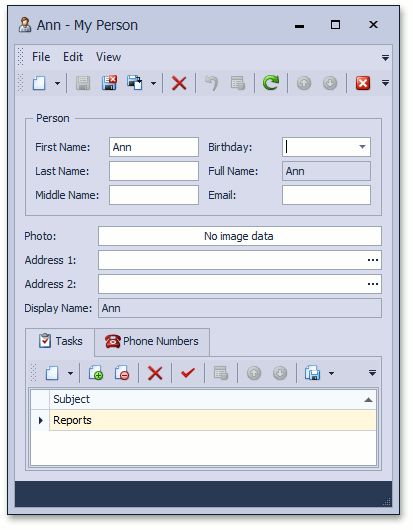
Main.Markup - <asp:Button ID="SubmitButton" runat="server" OnClick="SubmitButton_Click">
Code-behind - protected void SubmitButton_Click(object sender, EventArgs e)


Event Handler in Markup
The OnClick attribute in the Button control's markup is where you specify the event handler's name. This attribute tells ASP.NET to call the specified method when the button is clicked.
You can use this method to bind an event to other controls as well. For instance, OnLoad for the Page_Load event or OnDataBinding for the DataBind event.
Event Handler in Code-behind
The method defined in the code-behind is where you can write your event handling code. This method must match the name specified in the markup, have a void return type, and accept the object sender and EventArgs e parameters.


The sender parameter is a reference to the control that raised the event, while e is an EventArgs instance that provides additional information about the event.
Event Handling in Web Forms
In ASP.NET Web Forms, event handling is typically done declaratively, using the control's event attributes, as shown in the previous example. However, you can also handle events programmatically using the control's Click or other event-specific events.
Programmatic event handling can be useful when you need to dynamically add controls to an ASP.NET page and handle their events.

Adding Event Handlers Dynamically
To add an event handler dynamically, you first need to create the control, define its properties, and then assign the event handler. Here's an example:
Button btn = new Button();
btn.ID = "DynamicButton";
btn.Text = "Dynamic Button";
btn.Click += new EventHandler(btn_Click);
Controls.Add(btn);
In this example, a Button control is created dynamically, given an ID, text, and has its Click event assigned to the btn_Click method.
Removing Event Handlers Dynamically
To remove an event handler dynamically, you simply subtract the appropriate event (in this case, Click) from the method. Here's how you can do it:
btn.Click -= btn_Click;
This line of code removes the btn_Click method from the Click event of the dynamic Button control.
Understanding and effectively using event handlers in ASP.NET can significantly improve the responsiveness and user experience of your web applications. Whether you're working with static control events or dynamic events, event handlers provide a powerful mechanism for steering user interactions in your applications. So, go ahead and leverage this tool in your next ASP.NET project!
Related Articles

ASP.NET Event Validation: Best Practices & Tips
ASP.NET event validation is a crucial aspect of web application development that ensures data integrity and security. It helps protect your application from...

Mastering Scor Model Best Practices: Proven Tips
Mastering the Standardized Credit Risk Model (SCOR)") begins with understanding its intricacies and best practices. It's a crucial tool for lenders and...

Mastering Capital Budgeting: Methods, Tools & Best Practices
Capital budgeting, in a sentence, is the process of evaluating long-term projects or assets based on their expected financial returns. This critical...

Excel Online Table Format: Tips, Tricks & Best Practices
In the ever-evolving landscape of data management, Microsoft Excel continues to reign supreme, with its online version offering powerful tools for Remote and...

Mastering Test Cases: Best Practices for Writing
Test cases are the backbone of quality assurance, ensuring that software works as expected. Writing effective test cases is a critical skill, and following...

Mastering 2024's Landing Page Best Practices
In the ever-evolving digital landscape of 2024, creating high-converting and engaging landing pages is more paramount than ever. With user behaviors and design...