Simplify Your Job Search: Easy-to-Read Resume Format
Crafting an easy-to-read resume is crucial in today's competitive job market. Recruiters spend an average of six seconds on their first pass of a resume. Make those seconds count with a clear, scannable format that communicates your value effectively.
First impressions are vital, and an easy-to-read resume is key to making a strong first impression. Here's how to create an easy-to-read resume format that showcases your skills and experience.
Understanding Your Audience's Needs
The first step in creating an easy-to-read resume is understanding who will be reading it. Recruiters, hiring managers, and even Applicant Tracking Systems (ATS) are all part of the audience for your resume. With this in mind, tailor your resume to be human-readable and ATS-friendly.


Maintain the mental model of your reader as you write. Assume they're skimming, not reading, and want to quickly understand your background and fit for the role. Make this easy by organizing your resume in a consumable way.
Formatting for Skimability
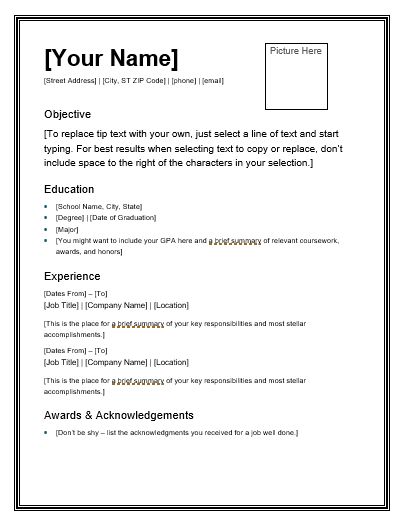
Your resume should be easy to scan, with important information jumping out at the reader. Use a clear, hierarchical structure to guide their eye and signal the importance of different sections.


Start with a clean, modern font like Arial or Calibri. Use 11-12pt sizes for body text and 14-16pt for headings. Incorporate white space to separate sections and make your resume less dense. Use bullet points or tables to displaying information visually.
Using White Space Effectively
Large blocks of text are daunting to read. By breaking up your resume into smaller sections and using white space, you make it more inviting and easier to navigate. This visual separation also allows your most important information to stand out.
Consider your margins as well. A 1-inch margin on all sides provides plenty of breathing room and prevents your resume from feeling cramped. This results in a clean, professional look that makes it easy to read.




Organizing Your Content
With a clean, skimmable format in place, it's time to focus on organizing your content in an intuitive, easy-to-read way.
Start with a summary at the top, highlighting your key skills and experiences. This is the first thing your reader will see, so make it count. Following this, use clear headings to break up your resume into different sections like Work Experience, Education, Skills, etc.
Reverse-Chronological Format
The most common resume format is reverse-chronological, listing your work experience in reverse-chorder. This format makes it easy for recruiters to quickly understand your career progression.

Under each role, start with your job title, the company name, location, and dates of employment. Use bullet points to list your responsibilities and achievements. Use action verbs and quantify your impacts where possible.
Skills Section
A well-organized skills section makes it easy for recruiters to quickly see if you're a match for their role. Group your skills into categories, making them easy to scan. Use bullet points for each skill.
You can further enhance readability by using a skills matrix – a table where horizontal rows represent the skills and vertical columns the levels of proficiency. This provides a quick visual representation of your skills and competencies.
In your job search, remember that an easy-to-read resume isn't just about the format – it's also about the content. Tailor your resume for each role, highlighting the skills and experiences that make you the best fit. By doing this, you'll not only make it easy for recruiters to read your resume, but you'll also show that you're genuinely interested in and qualified for the role. So, keep refining, and good luck with your job search!
Related Articles
Easy-to-Read Resume Examples
Imagine this: You've poured hours into updating your resume, ensuring it's perfectly tailored to the role you're applying for. But when a hiring manager...

Crayon Easy Draw: Simplify Your Artistic Vision
The term "Crayola Easy Draw" likely puts a smile on the face of anyone who has ever picked up a crayon. It transports us back to simpler times when creativity...

Simplify Your Holidays: Easy Christmas Cake Decorating Ideas
Decking the halls and trimming the tree is a beloved tradition, but truth be told, many of us dread one aspect: the Christmas cake decorating. Fear not, for...

What Does Resume/CV Mean for Your Job Search?
When searching for a job, you might hear the terms "resume" and "CV" used interchangeably, but they're not exactly the same thing and understanding the...

Google Docs Resume Template: Streamline Your Job Search
Crafting an impressive resume is the first step towards acing your job application. Google Docs, a powerful tool for document creation, offers a range of...

Easy Reconciliation: Get Your Accounting Form In Order
In the realm of accounting, the reconciliation form plays a pivotal role in maintaining the accuracy and reliability of financial records. It serves as a...