Printable Name & Address Form
In today's digitally dominating world, printed forms might seem old-school, but they remain indispensable in numerous sectors. A well-designed, printable name and address form can streamline data collection, improve user experience, and enhance professionalism. But creating an effective one requires careful consideration of layout, design, and function.
Firstly, let's understand the purpose of a printable name and address form. These forms are used to collect detailed and accurate contact information from individuals or businesses. They can be used internally, for new employee onboarding, or externally, for client or customer data collection. The information gathered can help maintain communication channels, facilitate transactions, and build relationships.
Designing an Effective Printable Name and Address Form
An effective printable name and address form begins with a clear purpose and understands its audience. Whether it's for a corporate entity, a non-profit organization, or an educational institution, the form should cater to the specific needs of the users.


The design should be clean, intuitive, and easy to understand. It should provide clear instructions and define fields precisely. Use straightforward language and avoid jargon. Remember, the primary goal is to collect the right information efficiently.
Choosing the Right Fields
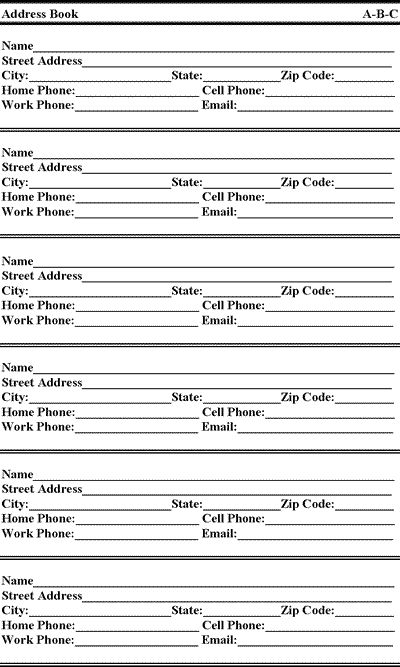
Including the right fields is crucial. A standard name and address form might include name, address (street, city, state, zip), phone number, email, and perhaps additional optional fields like company name, job title, or notes. Consider your purpose: if you need precise location data, include a field for the apartment number or floor; if you need to filter contacts by location, include a field for country or region.


Conversely, be mindful of asking for too much information. Too many fields can overwhelm users and decrease the response rate. Weigh the relevance of each field and remove those that aren't necessary.
Formatting and Styling
Formatting affects readability and user experience. Use a reasonable font size ( Around 10-12pt for body text) and keep lines short to avoid eye strain. Break up information into logical sections (e.g., personal details, contact information, mailing address) with clear headings.
For styling, maintain consistency in font types, sizes, and colors. Use bullet points or numbering to separate sections. Ensure there's enough contrast between the text and background for easy reading. Lastly, include your branding to build familiarity and trust.


Printing and Delivery Options
Providing multiple printing and delivery options can increase form completion rates. Offering a PDF version for download allows users to type directly into the form using software like Adobe Acrobat or even Preview (Mac). This can be more convenient for some users, especially if they have accessibility needs.
Alternatively, provide a web-based form that users can fill out and submit online. This can be particularly useful for organizations with limited printing resources or those seeking to reduce paper waste. However, ensure the online form maintains the same clean layout and holistic design as the printable version.
Accessibility Considerations
Accessibility isn't just about adhering to legal requirements. A form designed for all users promotes inclusion and makes your organization more appealing. Use high-contrast colors, provide clear instructions, and consider adding alt text to images.

Most importantly, test your form with a diverse group of users. This can help identify potential barriers and provide a more accurate view of the form's user experience.
In the end, a printable name and address form is just a tool. But like any tool, it's more than the sum of its parts. It's a reflection of your organization's professionalism, attention to detail, and commitment to usability. So, invest time and effort in its creation, and you'll reap the benefits in the form of accurate data and enhanced user experience.
Related Articles

Free Printable Medical Power of Attorney Form for Texas (PDF)
Planning for future healthcare needs is an essential part of managing your overall wellbeing. One crucial document you should have in place is a Medical Power...

Personalized Printable Name Tags: Easily Customize Your Own
In today's professional landscape, the importance of networking and making a strong first impression cannot be overstated. Name tags play a pivotal role in...

Printable Concession Stand Cash Reconciliation Form
Running a successful food booth at a fair or event relies heavily on meticulous cash management. A crucial aspect of this is reconciling your cash income at...

Unique Crayon Name Craft Printable
Adding a personal touch to your little one's artwork just got easier with custom crayon name craft printables. Transform ordinary crayons into unique pieces of...

Printable Georgia Power of Attorney Form
When it comes to managing someone else's affairs or delegating specific tasks, a Power of Attorney (POA) form is an essential document. If you reside in...

Simple Printable Key Return Form Template
A printable key return form template is an essential document for tracking and managing the safekeeping and return of keys in a professional or residential...