Mastering Scratches: 10 Creative Tutorial Ideas
Unleash your creativity and learn something new with these captivating scratch tutorial ideas. Scratch, a programming platform by MIT Media Lab, is an excellent tool for beginners, kids, and even seasoned coders. It helps you create interactive games, animations, and art while learning programming concepts. Let's dive into some engaging projects and skills you can explore through Scratch tutorials.
Before we delve into the exciting projects, make sure you have a basic understanding of Scratch's interface and how to use its various blocks. Familiarize yourself with the different types of blocks – Events, Control, Sensing, Operators, Variables, Lists, Text, and Looks. The more comfortable you are with each block's function, the better you'll be able to execute these tutorials.
Creative Projects
These projects will help you explore Scratch's creative potential and teach you essential programming concepts at the same time.


To make the most of these tutorials, keep an open mind, and don't hesitate to experiment with your ideas. Scratch encourages you to play around with different elements and see what happens, making it an excellent platform for learning and creative expression.
Animated Storytelling
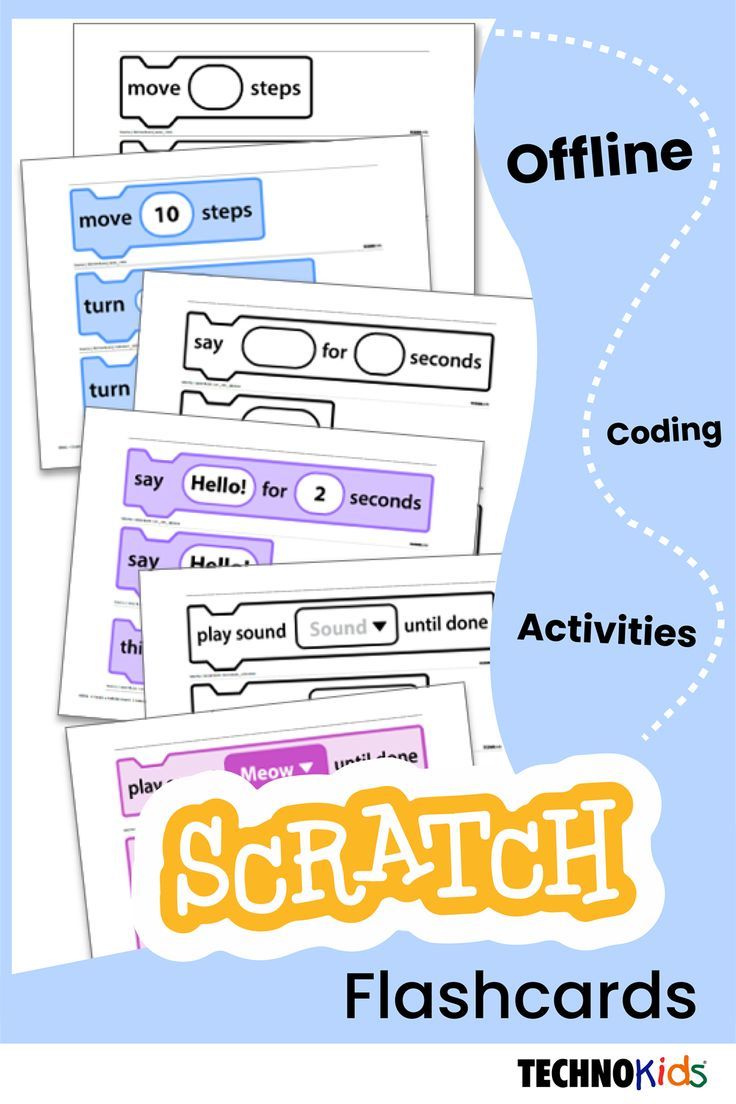
Scratch tutorials offer numerous resources to help you create interactive animated stories. Begin by learning how to use the "say" and "think" bubbles to create dialog between characters. Experiment with costumes and backdrops to bring your story's setting to life.


Once you're comfortable with the basics, dive into more complex animations, such as creating moving backgrounds, character expressions, and special effects. Some projects even involve recording your own voice or using Scratch's built-in sounds to add an extra dimension to your story.
Interactive Games
One of the most exciting aspects of Scratch is its ability to create fully functional games. Start with simple games like "Dice Rolling" or "Tic-Tac-Toe" to learn the basics of game logic andVariable usage.
As your skills improve, challenge yourself with more advanced projects. Create a platformer, a puzzle game, or even a multi-level adventure using if-else statements for branching paths. Once you've mastered the basics, explore game development techniques like collision detection, sprite movement, and scoring systems.



Programming Concepts
While Scratch tutorials are primarily about creativity, they also serve as an excellent introduction to essential programming concepts. Dive into these tutorials to learn more about data structures, algorithms, and computational thinking.
Understanding these core programming concepts will not only help you become a better Scratch user but also provide a solid foundation for learning other programming languages.
Loops and Iterations
Loops are essential programming constructs that allow you to repeat a set of instructions multiple times. Scratch's "repeat," "forever," "if," and "repeat until" blocks are all examples of loops. These tutorials walk you through creating simple loops andNested loops for more complex patterns.

Explore projects like "Spinning Wheels" or "Snowflake Generator" to learn about different loop types and their applications. As you gain confidence, try creating your looping patterns or using loops to generate complex shapes and art.
Conditional Statements and Variables
Conditional statements, such as "if-else" blocks, help your projects react to different inputs or situations. To understand conditional statements, start with basic projects like "Weather App" or "Alien Greetings," which use if-else statements to display different messages based on user input.
Once you're comfortable with "if-else" statements, explore variables to store and manipulate data. Create a simple calculator project that uses variables to store numbers and perform mathematical operations. As your skills improve, try creating projects that use variables to track score, lives, or other game states.
Whether you're exploring creative projects or programming concepts, Scratch tutorials offer an engaging and hands-on way to learn fundamental programming skills. So, grab your imagination and start coding. The world of Scratch – and programming – is waiting for you. Happy learning!
Related Articles

Mastering Ribbon Crafts: Creative Ideas for Adults
Discover the joy and versatility of ribbon crafts for adults. Whether you're new to crafting or an experienced artisan, ribbons offer a range of creative...

Mastering Minecraft: Unveiling the Black Pearl Tutorial
Dive into the fascinating world of Minecraft and discover the power of the Black Pearl. This magical item, first introduced in the Village & Pillage update...

10 Creative Border Decoration Ideas on Chart Paper
Border decoration ideas can breathe life into simple chart paper, transforming everyday presentations into captivating visual experiences. Whether you're...

Paper Blind Bag Ideas: 30+ Unique & Creative List
In the bustling world of party planning and gift-giving, the humble paper bag transforms into a versatile and eco-friendly container, perfect for housing...

50+ Creative Tumbler Logo Ideas for Your Brand
In the ever-evolving design landscape, a captivatingtumblr logo is vital to establishing your brand's identity and drawing users in. With its unique interface...

Revolutionize Your Kitchen: 15 Creative Towel Folding Ideas
Transform your kitchen into a sleek, organized space with these clever kitchen towel folding ideas . Not only do they save space, but they also add a touch of...