Dealing with Missing Data in Excel: Effective Solutions
Missing data in Excel can be a frustrating experience that hinders your productivity and analysis. It could be due to formatting issues, erroneous formulas, or external factors like broken links. But worry not, as this guide will help you navigate this common Excel conundrum with ease.
Understanding why data goes missing is the first step towards resolving the issue. So, let's dive into common reasons and solutions for dealing with missing data in Excel.
Causes of Missing Data in Excel
Before we begin troubleshooting, it's essential to identify the root cause. Here are some common reasons for data disappearance in Excel:


1. **Formatting Glitches**: Sometimes, Excel might unintentionally hide cells due to formatting issues such as wrapping text, merging cells, or applying a filter.
2. **Formulas Gone Wrong**: Incorrect or broken formulas can lead to #N/A or #VALUE! errors, making your data appear missing.


Formatting Issues
Hidden cells due to formatting can be unhidden easily:
- Click "Home" in the Excel ribbon
- Select "Show" in the "Cells" group
- Choose "Unhide" to display hidden cells
Broken Formulas
To diagnose problematic formulas:


- Look for error messages (e.g., #N/A, #VALUE!)
- Double-click the formula bar or use the "Trace formulas forward/backward" tool (Formulas tab → Error-checking → Trace Error)
Broken Links and Dependencies
Linking Excel files might lead to missing data if the source file is missing, moved, or modified.

To repair or remove broken links:
- Click "File" then "Info"
- Select "Check for Issues"
- Choose "Edit Links to Files..."
- Repair or remove broken links as needed
Data Integrity and Cell Reference Errors
scheint to be references in other formulas. Changes in cell references could lead to data loss.
Update cell references by:
- Re-entering the correct cell reference
- Using absolute references ($ sign)
Circular References
Circular references refer to cells that reference each other, creating a loop. Excel doesn't allow such edits, causing data to go missing.
Remove circular references by:
- Clicking "Formulas" on the ribbon
- Select "Error-checking"
- Choose "Circular References"
- Click "Delete" to remove circular dependencies
After addressing these common causes, you should be able to retrieve your missing data in Excel. Regular backups and careful data handling can subsequently prevent data loss in the future. Keeping your skills sharp with Excel courses can also help you avoid and solve data issues promptly.
Related Articles
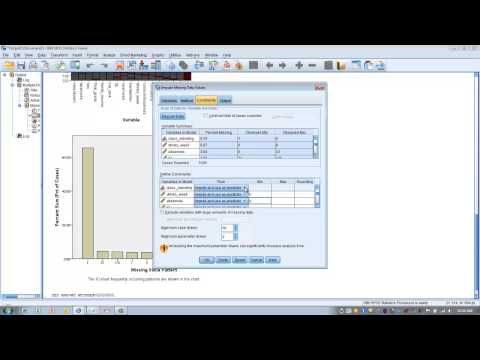
Dealing with Missing Data in SPSS: Efficient Imputation Techniques
Missing data is a common challenge in statistical analysis, often leading to inaccurate or biased results. SPSS, a widely-used software for data analysis...

Master Excel Scheduling: Create Effective Schedules with Ease
In today's fast-paced world, staying organized is a tough task. Schedules overlap, deadlines come crashing in, and time management often goes awry. This is...

"Excel Histogram: Custom Bin Ranges for Effective Data Analysis"
In the vast realm of data analysis, Excel's histogram function stands out as a powerful tool for visualizing and understanding data distributions. One of the...

Effective Progress Tracking: Monitor & Collect Data with Our Sheets
The meticulous tracking of progress is a linchpin of success in various domains, be it education, business, or personal development. This is where progress...

Reclaiming Excel: Solving Missing Data Challenges
Discovering missing data in an Excel spreadsheet can be disconcerting, especially when you're unsure of how it happened or how to fix it. This guide will help...

Excel Histogram Overflow Bin: Maximize Data Insight
Ever delved into the world of data analysis with Microsoft Excel and encountered the dreaded "histogram overflow bin"? This isn't a scene from a horror film...