Presentation Traffic Lights: Master Your Presentations in a Flash
Do you struggle to gauge the success of your presentations? Have you found yourself repeatedly asking, "Was that enough?" or "Did they understand it?" Presentation traffic lights might just be the tool you need to add to your public speaking kit. This innovative system offers a simple, yet effective way to respond to your audience's unspoken feedback, enhancing your performance and providing valuable insights to improve future talks.
Tracing its roots back to the Detroit City Traffic Control Program of the 1920s, traffic lights today are widely recognized symbols that effectively communicate system status without a single word. Much like these iconic signals, presentation traffic lights eliminarate the need for extensive verbal feedback or complex audience response systems. By using a simple set of colors - green, yellow, and red - these lights enable presenters to adjust their delivery and content in real-time, based on how their audience is receptive to the information being shared. Let's explore how this intuitive system can transform your presentations.
Understanding Presentation Traffic Lights
At its core, presentation traffic lights function as a silent, yet clear way for the audience to signal their understanding, engagement, and pace preference to the presenter. Here's a breakdown of each light's meaning and how they can be used to enhance your presentation:


Green Light: "Go" Ahead
The green light indicates that the audience is with you; they understand what you're presenting and want you to continue at your current pace. Seeing this signal reassures the presenter that they're on the right track and allows them to maintain their delivery as is. Encourage your audience to flash their green cards when they're engaged, following along, and eager to learn more. Green lights also signal that it's an ideal time for the presenter to ask questions, encourage discussion, or share related stories.
Here's an example of how you might use green lights in your presentation: * "By now, you should understand the key benefits of our new product. Are you with me? (Flash your green cards)"


Yellow Light: "Caution" Needed
The yellow light serves as a warning that the audience needs additional clarification or slower delivery to grasp the topic. When you see yellow lights flickering, it's time to pause, simplify complex ideas, clarify key points, or summarize what's been discussed. By addressing the areas of confusion promptly, you can help your audience catch up and ensure they remain engaged in the remainder of your presentation. Encourage your audience to flash their yellow cards when they're struggling to follow along, need further explanation, or desire a slower pace.
Here's an example of how to react to yellow lights: * "I see some of you are flashing yellow cards, which means you might need additional clarity on this concept. Let's reexamine this together..."
Red Light: "Stop" and Revise
The red light is a clear signal that the audience is lost, confused, or overwhelmed. They might not understand a particular topic, the presentation's direction, or could be growing restless. When the red light appears, it's crucial to take a step back, reassess your approach, and adjust your presentation accordingly. You may need to clarify your objectives, simplify your language, or change your pace to better suit your audience's needs. Encourage your audience to flash their red cards when they're confused, need a break, or want you to refocus the presentation.


Here's an example of how to respond to red lights: * "I'm seeing some red lights, and that means I'm not making sense. Let's take a quick minute to recap what we've covered and see where I can adjust to help you better understand..."
Implementing Traffic Lights in Your Presentations
Now that you understand the role of each traffic light, it's time to incorporate them into your presentations. To begin, you'll need to provide your audience with easily recognizable, colored cards or have them use a smartphone app that mimics the traffic light display. There are also dedicated presentation traffic light systems that project the lights onto a screen or use wearable devices to collect data.
Before You Present
Before incorporating presentation traffic lights, ensure you've briefed your audience on their usage. Explain the significance of each light and give clear instructions on when and how to use them. This can be done during the introduction to your presentation or via an email before the event. By setting expectations, you'll help your audience understand that their feedback is integral to your presentation's success.

Additionally, consider running a small-scale test with a select group of audience members to fine-tune your traffic light system and gain valuable insights before the main presentation.
During Your Presentation
Once your presentation is underway, keep an eye on the traffic lights without being overly fixated on them. Use the feedback they provide to guide your delivery and adapt your content as needed. Remember, the goal is to create a dynamic, engaging presentation that caters to your audience's unique needs and preferences. By remaining flexible and responsive to their signals, you'll foster a more connected and productive learning environment.
To further enrich your presentation, consider using a mix of traffic lights alongside other audience response techniques, such as live polls, Q&A sessions, or short quizzes. This combination of methods can provide actionable feedback and offer a well-rounded perspective on your audience's understanding and preferences. Additionally, be mindful of the potential for bias in your traffic light interpretations. For instance, don't automatically assume that a lack of response means the audience is confused or disinterested – they might simply be engaged and receptive.
The Benefits of Presentation Traffic Lights
Incorporating presentation traffic lights into your public speaking routine can introduce various benefits that enhance your effectiveness as a presenter and foster a more engaging learning environment. Here are some key advantages to consider:
Improved Adaptability
Presentation traffic lights enable you to quickly gauge your audience's understanding and adjust your content accordingly. By continuously assessing their needs, you can create a more personalized and tailored experience that caters to their unique preferences and learning styles. This adaptability not only makes your presentation more engaging but also increases the likelihood of driving desired outcomes.
Enhanced Interaction
The mere presence of traffic lights can foster a more interactive atmosphere, encouraging your audience to actively participate in your presentation. By soliciting and responding to their feedback, you create a dynamic dialogue that transcends the typical “lecture-style” format. This enhanced interaction can lead to increased learning, improved satisfaction, and better overall experience for both you and your audience.
Valuable Insights for Future Presentations
Audience feedback collected through presentation traffic lights provides valuable data that can inform your future presentations. By analyzing patterns in the traffic light signals and identifying common areas of confusion, you can refine your content, delivery, and approach to better serve your audience. This continuous improvement process helps you become a more effective presenter over time.
Establishing a More Inclusive Environment
By incorporating presentation traffic lights, you foster a more inclusive learning environment that considers the diverse needs and preferences of your audience. This inclusive approach respects each individual's learning pace and style, ensuring that everyone has an equal opportunity to engage with and understand your presentation's key takeaways.
In conclusion, presentation traffic lights offer a simple, yet powerful tool for presenters to better understand and respond to their audience's needs. By incorporating this intuitive system into your public speaking repertoire, you can create more engaging, informative, and tailored learning experiences that drive meaningful results. So, why not give presentation traffic lights a try at your next talk? With a bit of practice and flexibility, you'll be well on your way to becoming a master of real-time audience feedback and adaptive presentation."
Related Articles

Master PowerPoint Layouts: Tips & Tricks to Make Your Presentations Stand Out
Crafting engaging and effective presentations is an art that combines content, design, and delivery. A significant aspect of this is mastering PowerPoint's...

Master Your Presentations: PowerPoint Template Training Plan
Struggling to make your PowerPoint presentations impactful and engaging? A well-designed training plan template can be your secret weapon. Not only does it...

Are Temporary Traffic Lights Enforceable: Know Your Rights
When traffic lights are damaged or undergoing maintenance, temporary traffic lights are deployed to ensure safety and maintain traffic flow. But the question...
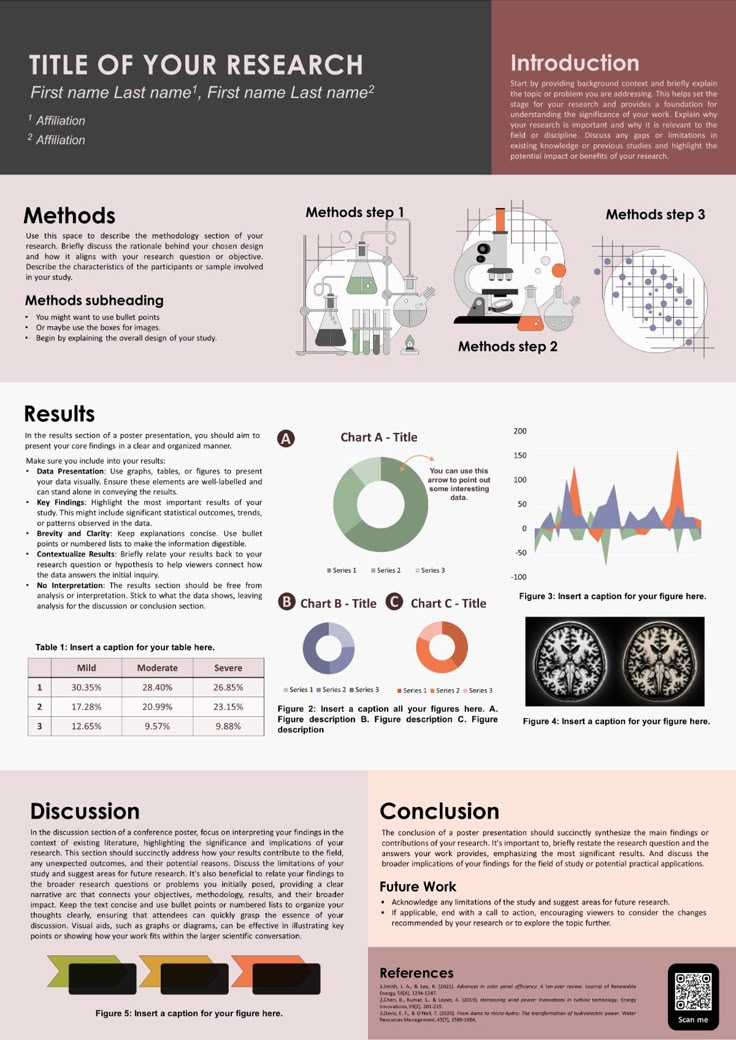
Demystifying E-Poster Presentations: What is it & How to Master it
Have you ever heard of an e-poster presentation, but aren't quite sure what it is? You're not alone! In the digital age, traditional presentation methods are...

Master Rubric for Crafting Top Poster Presentations
Picture this: you're in a bustling poster session at an academic conference. You've put in countless hours of research, design, and editing, and now it's time...

Canva's Best Free Presentation Templates: Boost Your Pitch
Kickstart your presentation projects with Canva's 'https www canva com presentations templates'. Highly customizable and professional-looking, these templates...